
Download Mi Bodega – wine collection management, wine tracking app, wine inventory, wine tasting journal, wine database
Overview
Mi Bodega is a specialized mobile application crafted to assist wine enthusiasts in organizing and managing their personal wine collections with precision and ease. Designed for both casual collectors and dedicated connoisseurs, the app provides a structured way to catalog wine details, monitor tasting progress, and generate insightful reports. Its core purpose lies in transforming a disorganized wine cellar into a well-documented, accessible digital archive.
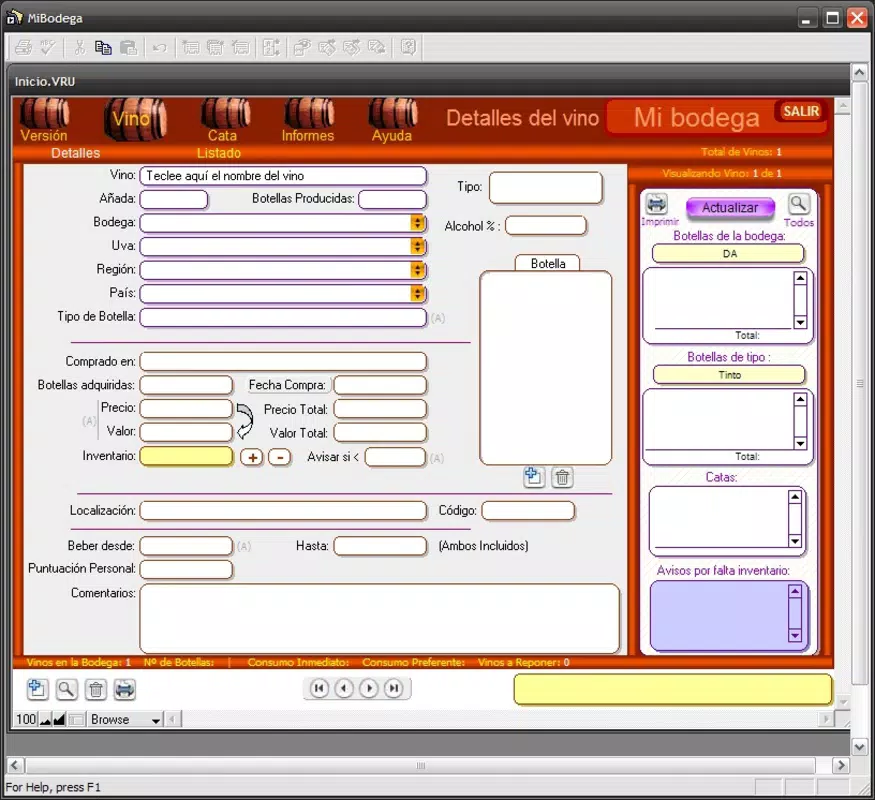
By capturing essential data such as winery, grape variety, region, alcohol content, and bottle type, Mi Bodega enables users to maintain a comprehensive wine database. This functionality is especially valuable for individuals who collect wines from multiple regions or want to track aging patterns and optimal drinking windows. The app also supports the documentation of tasting phases—visual, aroma, and taste—enhancing the sensory experience and encouraging mindful appreciation.
Real-world use cases include managing a home cellar, tracking wines for social events, or preparing for wine tastings. While the developer did not provide additional background on Mi Bodega, the app’s longevity, with a release date as early as 2007, suggests a dedicated user base and sustained functionality. Its presence in the productivity category highlights its role as a utility tool within the broader mobile ecosystem, bridging the gap between personal passion and digital organization.
Key Features & Functionality
- Extensive Wine Information Tracking: Users can input detailed data for each bottle, including winery, grape type, region, bottle size, alcohol by volume, and vintage. This level of detail ensures accurate cataloging and long-term tracking of wine characteristics.
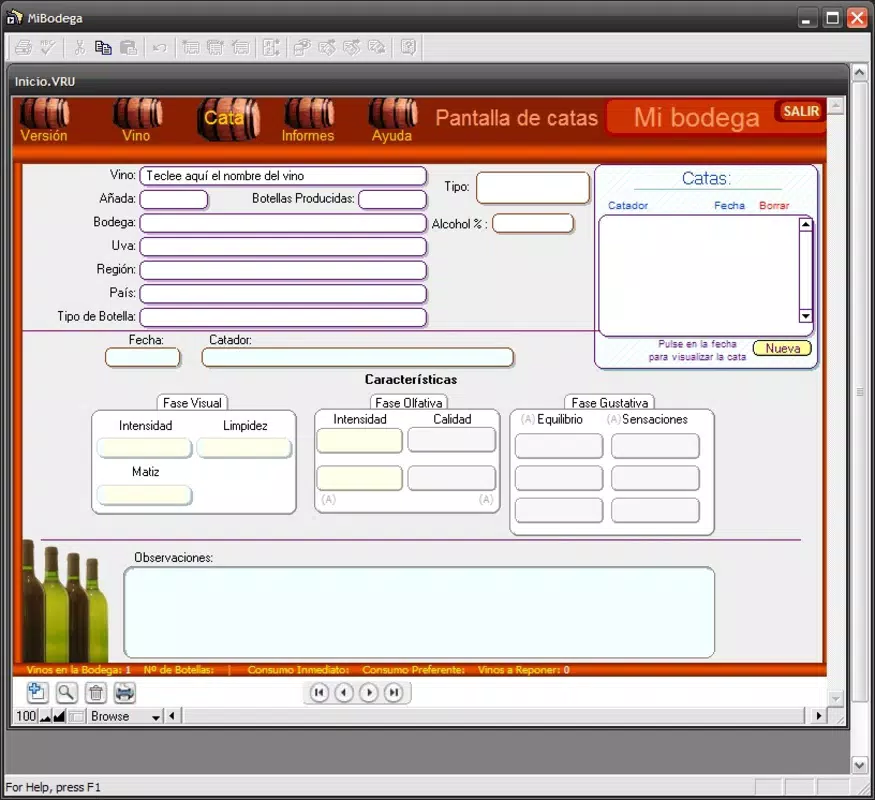
- Tasting Phase Documentation: The app allows users to log experiences across three key stages—visual (color, clarity), aroma (nose, bouquet), and taste (flavor profile, finish). This structured approach supports sensory analysis and personal memory retention.
- Custom Image and Inventory Management: Users can attach custom photos of wine bottles and record inventory counts. This feature helps visually identify bottles and monitor stock levels, preventing over-purchasing or shortages.
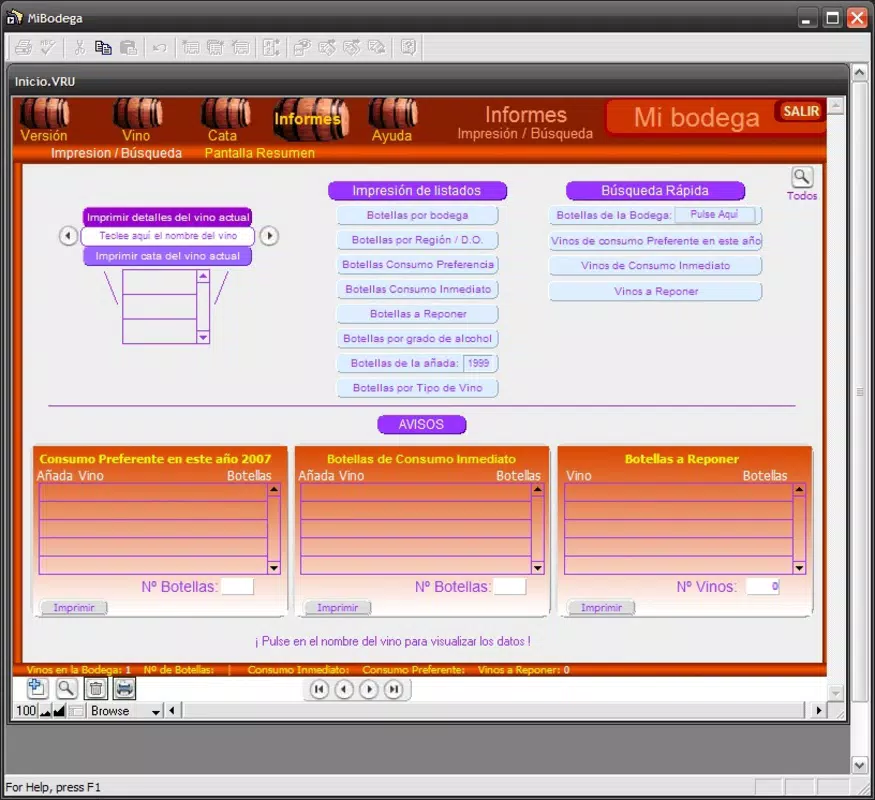
- Detailed Reporting System: Mi Bodega generates reports on collection statistics, such as the number of wines per winery, favorite varieties, and bottles nearing their recommended drinking window. These insights support informed decision-making and collection planning.
- User-Friendly Interface: The app features an intuitive layout that simplifies data entry and navigation. Even users with minimal technical experience can efficiently manage their collection without a steep learning curve.
For example, a collector preparing for a dinner party can use the inventory feature to check available bottles, then refer to the tasting logs to recall past experiences with a specific vintage. Similarly, a beginner can use the structured tasting phases to learn how to describe wine more accurately over time. These features collectively promote both organization and deeper engagement with wine culture.
Interface, UX & Performance
The user interface of Mi Bodega is designed with clarity and functionality in mind. The layout emphasizes accessibility, with well-organized menus and logical navigation paths that guide users through data entry, viewing, and reporting. Visual elements are minimal but effective, ensuring that information remains the focal point without distraction.
The app’s navigation flow is consistent across screens, reducing cognitive load and enabling efficient interaction. Although the developer did not list formal performance metrics, the app’s file size of 14.4 MB suggests a lightweight footprint, which typically correlates with smooth operation on a wide range of Android devices. Responsiveness appears to be optimized for everyday use, with quick loading times for lists and forms.
Stability is likely maintained through long-term development, given the app’s release history. However, specific requirements for device compatibility or OS versions were not disclosed. The app’s performance on older or low-end devices remains unverified, though its size indicates potential compatibility with a broad range of hardware.
Overall, the UX design prioritizes ease of use, making it suitable for users of varying technical proficiency.
Platform Compatibility & Technical Requirements
Mi Bodega is available exclusively on the Android platform. The current version is 1.2.1, with a file size of 14.4 MB. The app is offered at no cost to users, making it accessible to a wide audience.
While the developer did not specify minimum OS requirements or device compatibility details, the app’s long-standing presence suggests it supports a range of Android versions. The absence of specific technical information means users should exercise caution when installing on older or non-standard devices. The app’s lightweight nature may contribute to broader compatibility, but official support details were not provided.
Users are advised to verify their device’s operating system version and available storage before installation. For those seeking updates, the app’s update history is not publicly documented. Nonetheless, the free availability and stable release version indicate a reliable entry point for new users.
Pros and Cons
Pros
- Free to download and use, making it accessible for budget-conscious users.
- Comprehensive wine data tracking with customizable fields.
- Structured tasting phase logging enhances user engagement and learning.
- Supports custom images and inventory counts for better visual and practical tracking.
- Lightweight file size (14.4 MB) ensures minimal storage impact.
Cons
- Platform availability is limited to Android; no iOS version was listed.
- Specific technical requirements and OS compatibility were not disclosed.
- Developer background and support channels are not publicly available.
- Update frequency and future development roadmap remain unknown.
- Performance on low-end or outdated devices has not been verified.
FAQ
Is Mi Bodega available for iOS devices?
Based on the provided information, Mi Bodega is currently only available on the Android platform. No iOS version was listed in the details.
Can I use Mi Bodega without an internet connection?
While connectivity requirements were not specified, the app’s core functions—such as data entry, inventory tracking, and report generation—can likely be performed offline. However, the developer did not confirm this capability.
How often is Mi Bodega updated?
The update history and frequency were not disclosed by the developer. Users are encouraged to check the app store for the latest version.
Is Mi Bodega safe to download and install?
As a free app available on the Android platform, Mi Bodega is generally considered safe. However, users should only download from official sources to avoid potential risks.
Can I transfer my wine data to another app?
Export functionality was not mentioned in the provided details. Users should verify whether data export or backup options are available within the app.
Final Thoughts + CTA
Mi Bodega stands out as a focused, practical tool for wine lovers seeking to bring order to their collections. Its blend of detailed data tracking, structured tasting documentation, and inventory management offers tangible value to both novices and seasoned collectors. The app’s lightweight design and free access make it an appealing choice for anyone passionate about wine.
While platform exclusivity and limited technical transparency are notable considerations, the app’s core functionality remains robust and purpose-built. For users who value organization, sensory exploration, and long-term collection insight, Mi Bodega delivers a compelling experience. If you're looking to digitize your wine cellar, enhance your tasting notes, or simply keep better track of your bottles, this app is a worthy addition to your smartphone.
Download Mi Bodega now.


